
Bully: Anniversary Edition
Rockstar GamesAction
4.06.19K Reviews
- Version
- 1.4.311
- Installs
- 5.00M
- Age Rating
- Teen
Screenshots
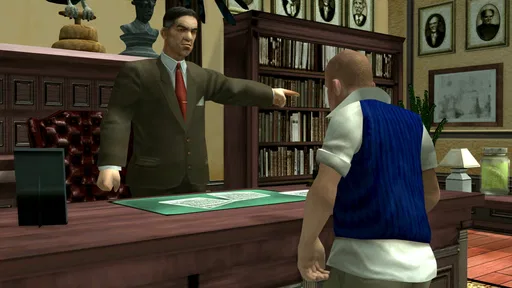
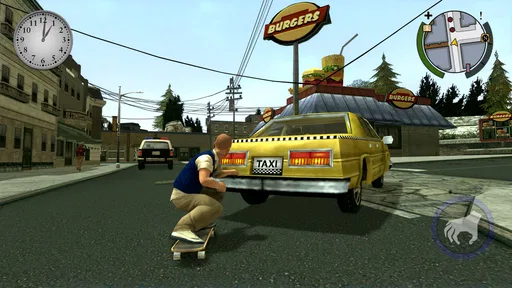
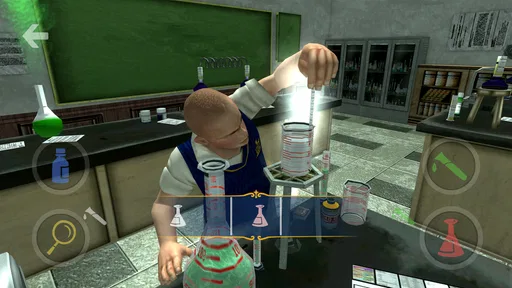
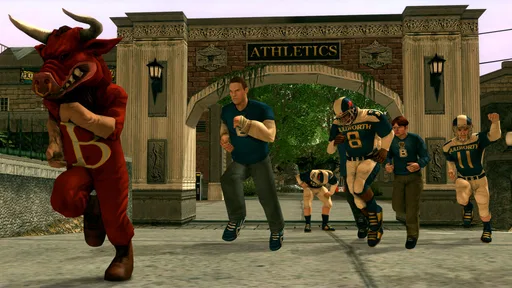
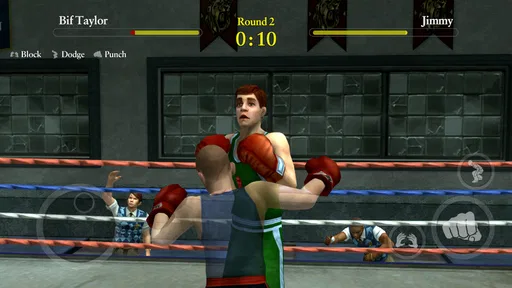
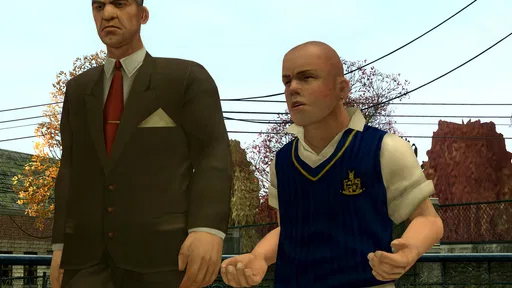
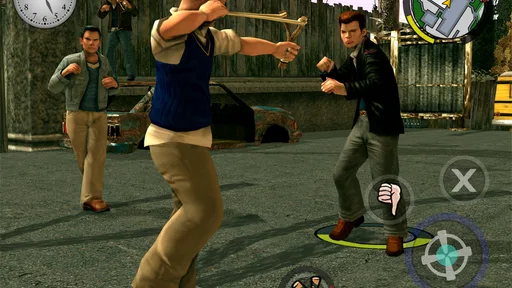
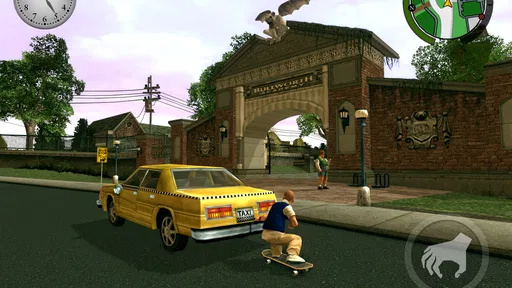
Our Review of Bully: Anniversary Edition
 Analysis by Appyee
Some games are easy to understand before you even touch them, while others need a little patience before their strengths become clear. Bully: Anniversary Edition belongs to the second group. It is an action game from Rockstar Games that places its story inside a school environment, but it does not feel like a simple collection of quick missions. I found that its appeal comes from the combination of exploration, troublemaking, character relationships, classes, and a steady sense that the schoolyard is a small world with its own rules.
The game is free to download, with in-app purchases priced at $6.99 per item, and it carries a Teen content rating. It has built a substantial audience on mobile, with over five million installs, a 4.0 average from around ninety thousand ratings, and roughly six thousand reviews. Those figures suggest a game that is widely recognized but not universally smooth for every player. That matches my experience: the core adventure is memorable, yet the mobile format can make the first launch, controls, and recovery from interruptions more important than they would be on a console.
I would recommend it most to someone who wants a story-driven action game with personality rather than a short arcade session. If you are looking for a calm school simulator, a competitive multiplayer game, or something designed for very young children, this is not the right choice. Its humor, conflict, and Teen rating make the tone clear from the start.
Getting past the first points of friction
I found that the first few minutes are best treated as a gentle orientation rather than a test of whether the game suits you. I use that time to get comfortable with movement and camera handling before worrying about objectives; it makes the difference between a clumsy opening and a fair impression. The next section looks at how that slower start can fit into ordinary mobile play.
What usually makes the opening feel harder than expected
The first challenge is not necessarily a difficult mission. It is adjusting to the fact that the game asks you to move through a living school setting while also learning its controls and routines. On a phone, the screen can feel busy when movement, camera control, and action buttons compete for space. I needed a little time to stop looking at the controls and start paying attention to the environment.
That learning period matters because many early mistakes look like gameplay mistakes when they are actually handling mistakes. A missed interaction may come from standing at the wrong angle. A failed chase may be caused by overcorrecting the camera. A fight can become messy when the character is not facing the intended target. Before judging the difficulty, I suggest spending a few minutes moving around without rushing the next objective.
The school setting also encourages wandering, which is one of the game’s best qualities but can confuse players who expect a straight sequence of levels. I often found that the most useful approach was to treat the map as a place to learn, not just a route between missions. Notice where activities begin, how characters react, and which areas are easier to reach at different points in the day. This makes later objectives feel less random.
Simple setup checks before blaming the game
Because this is a mobile conversion of a larger adventure, I would begin with practical checks rather than immediately assuming that a problem is a serious bug. Make sure the device is running at least Android 9, which is the listed minimum operating system. Also leave enough free storage for the installation and its working space. A nearly full phone can create confusing installation or update behavior even when the game itself is fine.
It is also worth closing other demanding apps before launching. I found that a clean start makes touch response easier to judge, especially on a phone that is already busy with background tasks. If the game opens slowly, freezes during loading, or behaves inconsistently, restarting the device is a sensible first step. This is basic advice, but it separates a temporary phone problem from a repeatable issue inside the game.
The current version is 1.4.311, so checking that the installed version matches the current store version is another useful step. I would not repeatedly reinstall as a first reaction, particularly if you have made progress you care about. Try a normal restart, confirm the operating system requirement, and check available space before taking a more disruptive action.
Controls deserve their own setup check. Play for a short while with the phone held in the position you expect to use for longer sessions. A case with a raised edge, a screen protector that affects touch response, or accidental contact from the palm can make movement feel unreliable. If the issue appears only when several fingers are on screen, the problem may be the physical way the phone is being held rather than the mission itself.
How I recover when progress feels stuck
When an objective does not seem to advance, I first return to the immediate area and look for the expected interaction instead of wandering far away. In a game built around school routines and character encounters, being nearby is not always enough; positioning and timing can matter. I also check whether I have accidentally moved into a different activity or interrupted the sequence by starting another interaction.
For a failed mission, replaying it with a slower opening is often more effective than trying to move faster. I pay attention to the first few instructions, keep the camera pointed toward the next likely action, and avoid unnecessary detours until the objective is clear. This is particularly helpful on a touchscreen, where a hurried swipe can send the character in the wrong direction.
Short sessions are useful for recovery. If the game has been running for a long time and touch input becomes inconsistent, I leave it, close it normally, and relaunch rather than continuing to fight the controls. I also avoid switching repeatedly between the game and other apps while a scene is loading. Interruptions are more likely to create confusion when I do not know whether the game has finished loading or is waiting for me to respond.
One practical habit is to separate exploration from mission attempts. I use free time to learn the school layout and mission time to follow the immediate goal. That simple division reduces the chance of arriving late, losing track of a character, or mistaking normal wandering for a broken objective. It also lets me enjoy the setting without turning every detour into a source of frustration.
When the phone, connection, or expectations are the real issue
Not every unpleasant experience comes from the game. If installation fails, the first suspects should be the phone’s available space, operating system compatibility, or the app store process. If the game runs but touch input is erratic across several apps, the screen or device settings deserve attention. If only this game behaves badly, then restarting, updating, and testing a shorter session can help identify whether the problem is temporary.
Connection quality can also confuse the diagnosis. A game may need a connection for parts of the download or store process, but a weak connection can make installation appear stuck even when the phone is otherwise working correctly. I would use a stable connection for downloading and updating, then test the game again after the process has completed rather than repeatedly tapping the install button.
Performance expectations are another important distinction. This is a substantial action adventure, not a lightweight puzzle that can be opened casually on every older phone. The minimum operating system tells you whether the software can be installed, but it does not promise the same comfort on every device that meets that requirement. If the game technically runs but feels unpleasant during movement or combat, the limitation may be the phone’s hardware, heat, or background workload.
I also would not choose this game for a child simply because it is free to download. The Teen rating and the game’s conflict-heavy school setting are meaningful parts of the experience. Parents should consider the tone before allowing access, and players who dislike crude humor, fighting, or rule-breaking as central themes may find the atmosphere tiring even if the mechanics work perfectly.
How the adventure works in everyday play
I get more from the adventure when I choose a simple goal before opening it, especially if I only have a short break. That small habit keeps exploration enjoyable without letting a busy day turn into a rushed mission attempt. The following section considers what makes the school setting rewarding over longer stretches, and where its pace may not match every player’s routine.
A useful routine for short mobile sessions
My favorite way to play is in focused blocks rather than treating it like a five-minute time filler. I begin by deciding whether I want to advance the story, explore, or complete a class-related activity. That choice prevents the familiar mobile problem of opening a large game with no plan and then quitting because the next step feels unclear.
On a normal day, I might play during a commute break or after dinner, complete one clear objective, and then spend a few minutes learning a nearby route. The school environment gives those short sessions a natural shape, but the game is more satisfying when I allow enough time to settle into its rhythm. Rushing through a mission while distracted by notifications makes the touchscreen controls feel worse than they really are.
I recommend keeping the camera under control before starting an action. A quick adjustment while walking is easier than trying to fix the view during a fight or chase. I also use open spaces to practice movement, because learning how far a swipe turns the character is more valuable than discovering it during a timed objective.
Why the school setting still works on a phone
The school is more than a visual theme. It gives the game a recognizable structure and creates variety between story moments, movement, mischief, and routine activities. I enjoyed the contrast between simply getting somewhere and dealing with the consequences of what happened there. That sense of place is what separates this from many mobile action games that send you through disconnected arenas.
The setting also makes exploration worthwhile without requiring the scale of a modern open-world game. You gradually become familiar with the important paths and social spaces, which is useful when objectives send you back through areas you have already visited. The trade-off is that the game can feel less immediate than a mission-based action title. You are sometimes expected to understand the world around the objective, not just defeat the next opponent.
That is why I would not compare it only with other touchscreen action games. A more direct action alternative may offer faster combat and simpler sessions, while a school-themed adventure like this offers stronger character context and a more connected setting. If your priority is instant action, the alternatives may be better. If you want a campaign with a distinct identity, this has more to offer than its mobile controls initially suggest.
Three details that improve the experience
First, I treat the camera as part of the control system rather than a separate visual tool. Keeping the next interaction in view reduces accidental turns and makes combat less dependent on frantic swiping. This is a small adjustment, but it has a noticeable effect on a phone screen.
Second, I use exploration to prepare for missions instead of exploring only after getting lost. Learning the shortest routes between familiar areas saves time and makes the school feel more coherent. It also gives me a better sense of where I am when an objective changes unexpectedly.
Third, I separate technical troubleshooting from progress troubleshooting. If the entire game feels slow or touch response is poor, I restart and check the phone. If one objective is confusing while everything else responds normally, I slow down, reread the goal, and test the nearby interactions. Mixing those two problems often leads to unnecessary reinstalls or repeated failed attempts.
Who will enjoy it, and who should skip it
This is a strong fit for players who like story-led action, recognizable characters, and an environment that rewards attention. It is also a good option for someone who wants a substantial single-player experience on a phone rather than a game built around short competitive matches. The free entry point makes it easy to try, although the in-app purchase price means you should pay attention before confirming any optional purchase.
I would skip it if you want a completely relaxed game, dislike touchscreen movement, or need a title that works equally well in tiny bursts with no learning curve. I would also choose something else for a younger audience because of the Teen rating. Players who expect modern console-level convenience may need to accept some friction in exchange for the older adventure design and mobile format.
My practical verdict
After spending time with it, I see Bully: Anniversary Edition as a worthwhile mobile action adventure with a stronger personality than most quick-download games. Its best qualities are the school setting, the connected sense of place, and the mixture of story and everyday mischief. Its weakest points are the initial control adjustment, the possibility of device-related friction, and the fact that it asks for more attention than a typical casual game.
The most sensible way to approach it is to check the Android requirement, make sure the phone has room and a stable connection, update to the current version, and give the controls a calm test before starting serious missions. If an objective fails, slow down and distinguish a confusing sequence from a genuine performance problem. Those habits do not change the game, but they make its mobile presentation much easier to live with.
Rockstar Games has made a game that still stands out because the school setting is woven into how the adventure feels, not merely placed behind the action. I would recommend trying it if you want a characterful campaign and are willing to meet it halfway on controls and pacing. It is best enjoyed as a focused story adventure, not as a disposable five-minute app.
Verdict
Strengths of Bully: Anniversary Edition
- Faithful open-world adaptation with a memorable school setting.
- Strong mix of missions, classes, minigames, and side activities.
- Distinctive characters and humorous storytelling remain entertaining.
- Touch controls support customizable button layouts and gestures.
- Works offline, making it convenient for travel or limited data plans.
Limitations of Bully: Anniversary Edition
- Some missions feel repetitive after extended play sessions.
- Touchscreen controls can be awkward during fast combat sequences.
- Older visuals and animations may look dated on newer devices.
- The game requires considerable storage space for a mobile title.
- Occasional crashes or compatibility issues may affect certain devices.
Other Releases by Rockstar Games
View All
GTA: Liberty City Stories
Adventure4.0

Grand Theft Auto: San Andreas
Action4.5

GTA: Vice City - Definitive
Action3.8

Grand Theft Auto: Vice City
Arcade3.3
Similar Picks in This Category
View All
Temple Run 2: Endless Escape
Imangi Studios4.1

PUBG MOBILE
Level Infinite4.3

Free Fire: 9th Anniversary
GARENA INTERNATIONAL I4.4

Talking Tom: Hero Dash Run
Outfit7 Limited4.3

slither.io
Lowtech Studios3.9

Sniper 3D:Gun Shooting Games
Wildlife Studios4.6
Frequently Asked Questions
What is Bully: Anniversary Edition about?
Bully: Anniversary Edition is an open-world action-adventure game from Rockstar Games. You play as Jimmy Hopkins, a rebellious teenager sent to Bullworth Academy, where you attend classes, complete missions, make friends and enemies, and explore the school and surrounding town. The game combines story-driven gameplay, humor, exploration, fighting, minigames, and school activities in a distinctive setting that differs from the Grand Theft Auto series.
What features are included in Bully: Anniversary Edition on mobile?
The mobile edition includes the complete Bully storyline along with additional content associated with the Scholarship Edition, including extra missions, characters, classes, clothing, and minigames. It also offers touch controls designed for mobile devices, support for compatible physical controllers, improved graphics compared with the original release, and cloud-save features through supported Rockstar services. Availability of certain online or service-related features may depend on the device and current platform support.
Does Bully: Anniversary Edition require an internet connection to play?
An internet connection may be needed to download the game, verify the purchase, install updates, or access cloud-related features. After installation, the main single-player campaign is generally designed to be played offline, which is useful when traveling or using mobile data sparingly. However, requirements can vary by Android or iOS version, store policies, and Rockstar’s current services, so checking the official listing before downloading is recommended.
Is Bully: Anniversary Edition suitable for children?
Despite its school setting and cartoon-like presentation, Bully: Anniversary Edition is not aimed at young children. It contains fighting, bullying, profanity, mature humor, suggestive themes, alcohol references, and other content that may be unsuitable for younger players. The age rating differs slightly between regions and stores, so parents should review the official rating and content descriptors before allowing a child to download or play the game.
What devices are compatible with Bully: Anniversary Edition, and how much storage is needed?
Compatibility depends on the specific Android phone, tablet, iPhone, or iPad, as well as the operating system version and hardware performance. Because this is a detailed 3D game, older or entry-level devices may experience slower loading, reduced visual quality, or control issues. The download also requires substantial free storage, including room for installation and updates. Always consult the Google Play or App Store listing for current requirements before purchasing.
Play our best games!


